
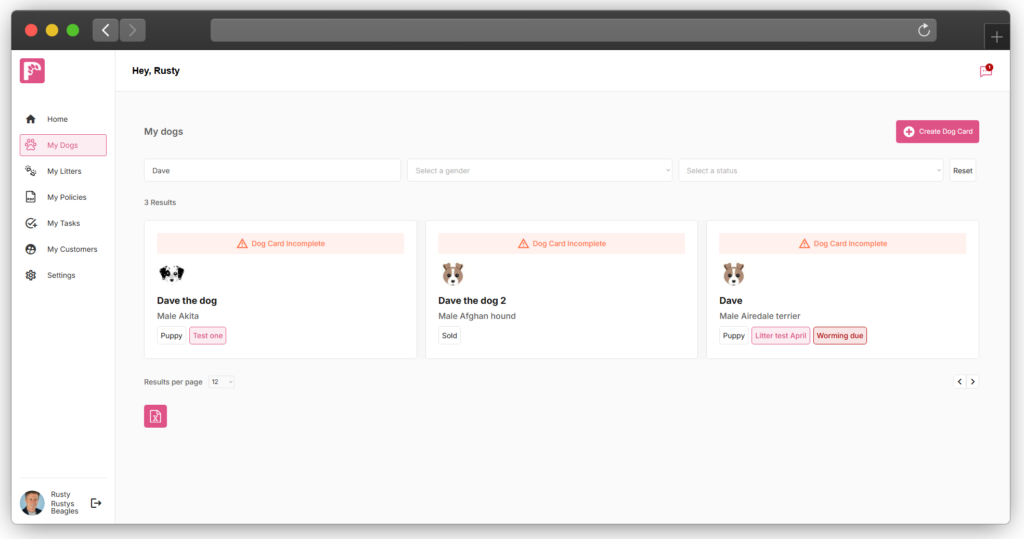
Digital PawPrint allows you to keep a history of worming treatments for each dog and record when the next treatment is expected.
Worming records can be added individually from a Dog Card, or puppies can be updated together from the Litter page when the whole litter receives the same treatment.
Adding a worming treatment from a Dog Card
Start by going to My Dogs and opening the Dog Card for the dog you want to update.
From the dog’s health records, select the option to add a Worming Treatment.
Enter the details of the treatment, including:
Worming date – the date the treatment was given
Product – the worming product used
Follow-up date – when the next treatment is due
Notes – any additional information you want to keep about the treatment
Once saved, the treatment becomes part of the dog’s ongoing health record.
You can continue adding new treatments over time, creating a history of the products used and when they were administered.
Why the follow-up date is important
When adding a worming treatment, make sure you add the next treatment date where appropriate.
Digital PawPrint uses this date to help you keep track of when worming is next due.
If the follow-up date passes without another worming treatment being recorded, Digital PawPrint can highlight the treatment as overdue on the dog’s page.
This gives you a quick visual indication that the dog’s worming record may need attention.
The warning is based on the information you have entered into Digital PawPrint, so always make sure the follow-up date reflects the treatment schedule you are actually following.
Worming reminder emails
You can also choose to receive an email reminder when a worming treatment becomes due.
This is optional.
If reminders are enabled, Digital PawPrint can notify you when the follow-up date you recorded has been reached.
The reminder is there to help with record keeping. It does not determine how frequently a dog should be wormed.
Your parasite control routine should follow the preventative health arrangements you have agreed for your dogs, including any veterinary advice and the instructions for the product being used.
Updating a whole litter
If you are treating a litter of puppies, you do not need to open every puppy’s Dog Card individually.
Worming treatments can also be recorded from the Litter page.
This allows you to apply the treatment information to multiple puppies together.
For example, if six puppies all receive the same worming product on the same date, you can record that treatment for the litter rather than repeating the same process six times.
Digital PawPrint will then create the relevant worming record against each puppy.
This is particularly useful during the first weeks of a litter when puppies are often following the same treatment schedule.
When should I use the Dog Card or Litter page?
Use the Dog Card when:
- You are updating an individual adult dog
- Only one puppy requires updating
- A dog has received a different product or treatment date
- You need to add information specific to that dog
Use the Litter page when:
- Several puppies have received the same treatment
- The treatment date is the same for the litter
- You want to update multiple puppy records at once
Even when treatments are entered in bulk, the information is still retained against the individual puppy’s Dog Card.
Keeping the worming record up to date
Each time another treatment is given, add a new worming record rather than replacing the previous one.
This means the Dog Card gradually builds a treatment history showing:
- When treatments were given
- Which products were used
- When the next treatment was expected
- Any relevant notes or observations
For puppies, this history can also form part of the digital Dog Card that is retained by the breeder and transferred to the puppy’s new owner.
This gives the new owner a clearer record of the parasite treatments the puppy received before leaving the breeder.
Remember
The most important information to record is:
What was given, when it was given and when the next treatment is due.
Once that information is recorded, Digital PawPrint can help you keep the treatment history organised and highlight when the next worming date requires attention.